








Drafting legal documents requires speed, precision and confidentiality. Increasingly, lawyers are using AI to meet these demands. AI tools can automate the routine elements of drafting, summarisation and research, reducing turnaround times and improving consistency while supporting compliance.
However, not all AI platforms are equal. General-purpose AI can generate text but raise concerns over data storage and security. Legal-specific platforms, by contrast, are designed to meet professional standards.
This blog reviews the top AI legal drafting software in 2026, sets out what “good” looks like for these tools, and compares them on security, accuracy, and workflow integration.
Note: If your legal team is buried in manual redrafting, switching between tools, and slowing down deals with lengthy review cycles, then see how LEGALFLY streamlines it all, Word-native drafting, instant templates, and secure self-service that keeps you in control. Book a demo to cut review time and empower your team to move faster.
Best AI contract drafting software for 2026
The best AI tools for legal writing combine advanced natural language processing (NLP) with legal expertise. These platforms support drafting, research, reviews, and more. Security and data privacy should also be key considerations. We’ll start with the software we know best—our own.
1. LEGALFLY
Starting a contract from a blank page takes time your team doesn't have. Hunting through old agreements for the right clause, reformatting templates that were last updated three years ago, chasing colleagues for the approved language on liability caps, it adds hours to work that should take minutes.
Generic AI tools speed up typing but not the thinking. They have no understanding of your preferred positions, your governing law requirements, or your organisation's house style. And when your team drafts in ChatGPT, commercially sensitive terms and counterparty details are fed into a public model, often without anyone realising the risk.
LEGALFLY is built for this reality. It works directly inside Microsoft Word, grounds every draft in your own playbooks and templates, and anonymises sensitive data before any AI processing begins. Legal teams at SAP, Lufthansa, and AXA use it to cut drafting time by 50%, while keeping lawyers in control of every output.
To find out more about how LEGALFLY could accelerate your drafting, book a demo with one of our experts.
Draft and Redline Directly in Microsoft Word
Most legal teams already live in Word. Switching to a separate platform, copying text in, pasting edits out, adds friction and creates version control risk. LEGALFLY's Word add-in removes that step entirely.
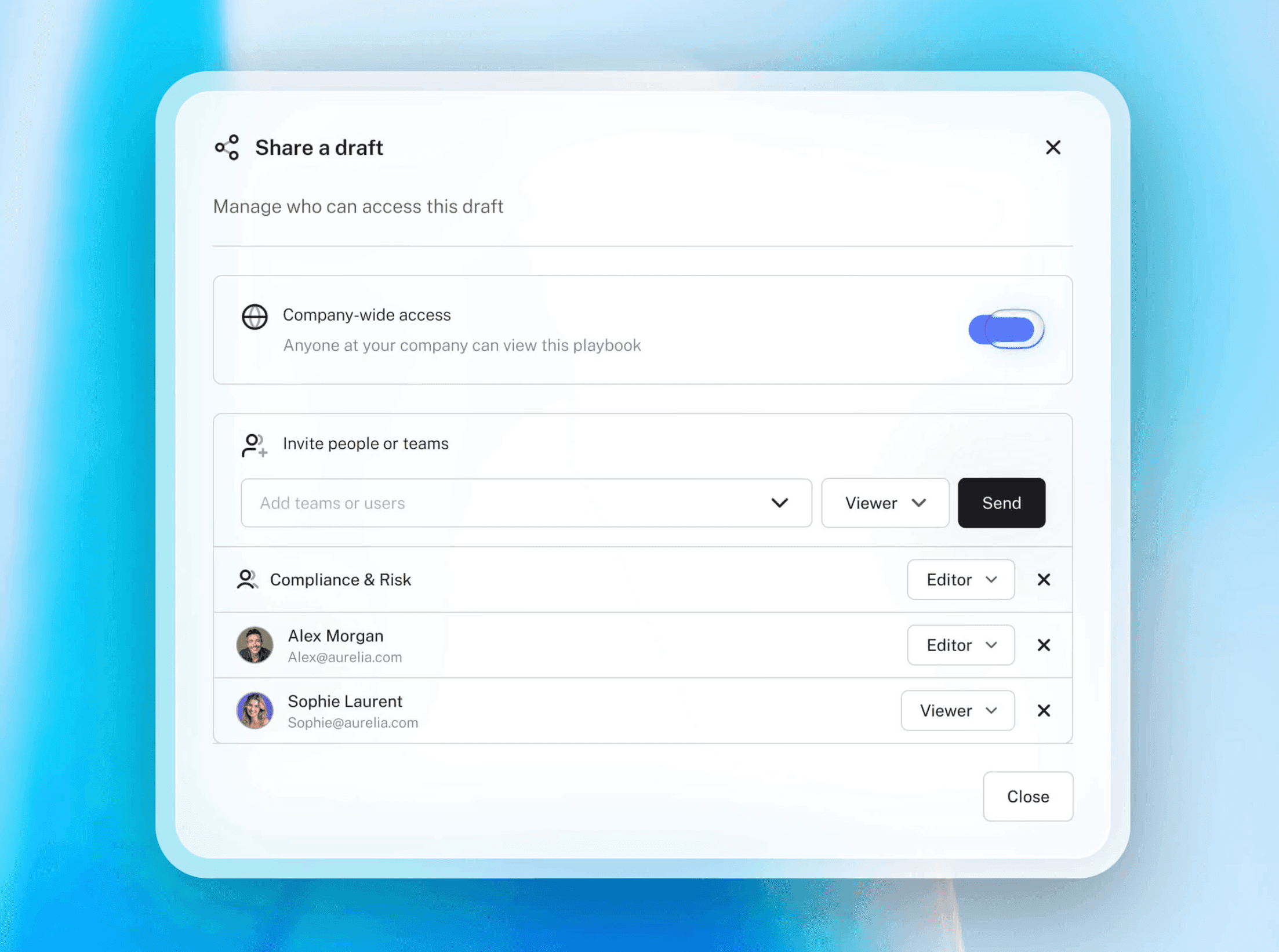
You draft, redline, and review without leaving the document. Tracked changes appear inline, the same way you'd expect them from a colleague. Business users can self-serve routine agreements using pre-approved templates, with guardrails that keep them within safe boundaries. Legal stays in control without becoming a bottleneck.
Build Reusable Templates from Your Own Contracts
Generic AI generates text. LEGALFLY generates text that reflects your standards.
Upload your existing agreements and LEGALFLY convert them into smart templates in minutes, automatically detecting variables like party names, jurisdictions, and payment terms. Clause logic makes templates adaptive: provisions appear or are hidden based on the specifics of each deal, without any manual configuration. Every new contract starts from an approved structure, so consistency is built in from the first draft rather than checked for at the end.
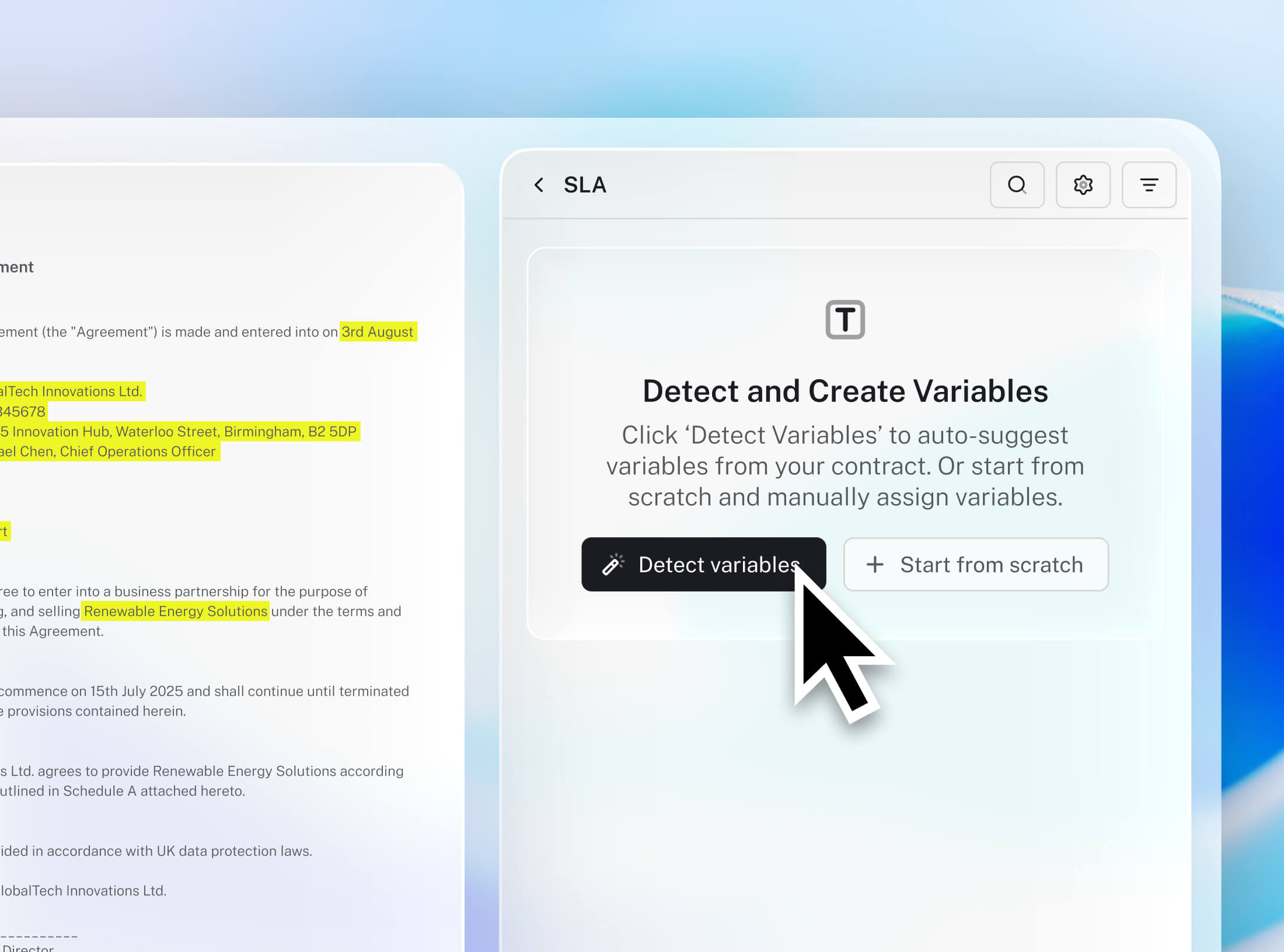
Jurisdiction-aware drafting across 60+ jurisdictions
Most drafting tools assume a default jurisdiction. LEGALFLY doesn't. It automatically detects governing law and adjusts drafting recommendations accordingly, drawing on 500+ official legal sources across 60+ jurisdictions. For teams working across multiple markets, or handling contracts governed by unfamiliar local law, this removes the manual effort of adapting standard templates jurisdiction by jurisdiction. Translation into 80+ languages is also built in, so cross-border drafting stays consistent without rebuilding your workflow.
Enable non-legal teams to self-serve safely
One of the biggest drains on in-house legal time is fielding routine requests from procurement, sales, and operations teams that need approved contract language but lack the legal training to draft it themselves. LEGALFLY solves this without creating risk. Business users can generate agreements from pre-approved templates, with guardrails that keep outputs within legal's defined boundaries. Legal sets the rules once. The team self-serves within them. The bottleneck disappears.
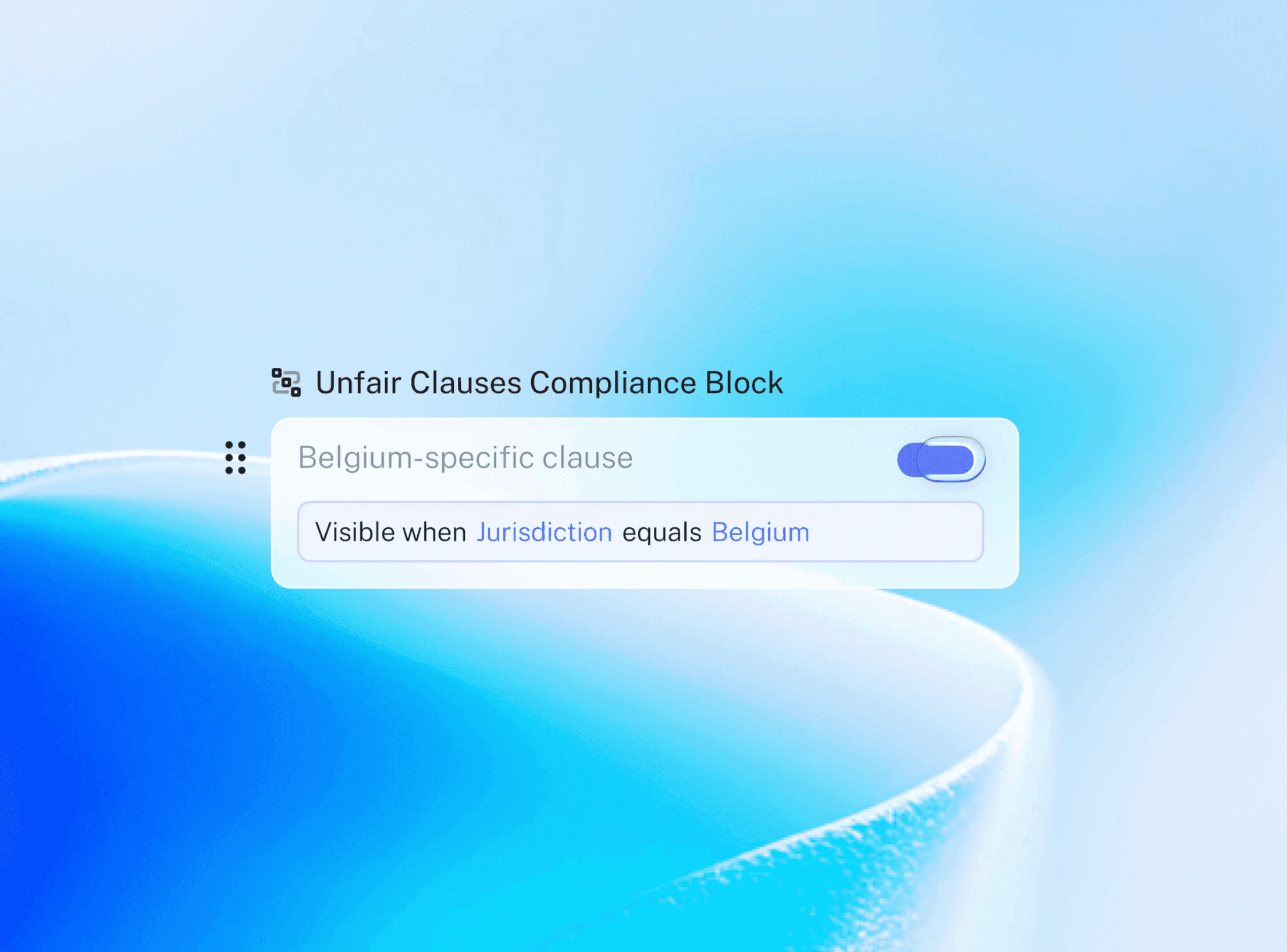
Build custom workflows with Agent Studio
Beyond individual contracts, LEGALFLY's Agent Studio lets legal teams build multi-step AI workflows tailored to their specific processes, with legal sign-off built in at every stage. Whether that's an NDA approval chain, a supplier onboarding flow, or a regulatory compliance check across a document portfolio, teams can encode the process once and run it consistently at scale. It is the difference between using AI on individual documents and deploying it across how your legal function actually operates.
Every Edit Comes with a Clear Explanation
When AI suggests a change, your lawyers need to understand why, not just accept or reject it blindly. That's not just good practice; in many jurisdictions, it's an ethical obligation.
Every redraft LEGALFLY suggests is tied to a specific playbook rule, policy position, or legal rationale. If a liability cap falls below your organisation's acceptable threshold, the system flags it, proposes revised language, and shows you the rule that triggered the flag. Your team can validate the output, not just trust it. Final judgment stays with you.
Sensitive Data is Anonymised Before Any AI Sees It
Legal drafts contain some of the most commercially sensitive information your organisation produces, deal values, counterparty names, proprietary terms, regulatory exposure. That data should never reach an external AI model in identifiable form.
LEGALFLY anonymises documents before any AI processing begins. This is not a policy setting or an optional configuration, it is built into the core architecture. Names, financials, and sensitive identifiers are stripped before analysis takes place, then reinstated in the output. For legal teams in regulated industries, or those handling cross-border transactions, this is the standard that generic AI tools simply cannot meet.
How to draft a contract from a template with LEGALFLY: step by step
Here is how legal teams move from brief to finalised document, without switching platforms or compromising on control.
Step 1: Select your template in the LEGALFLY Word add-in
Go to Drafting, then Contracts, and click Create Contract. Give your draft a name and select the saved template you want to work from. Your template brings your pre-approved structure and logic with it from the start.
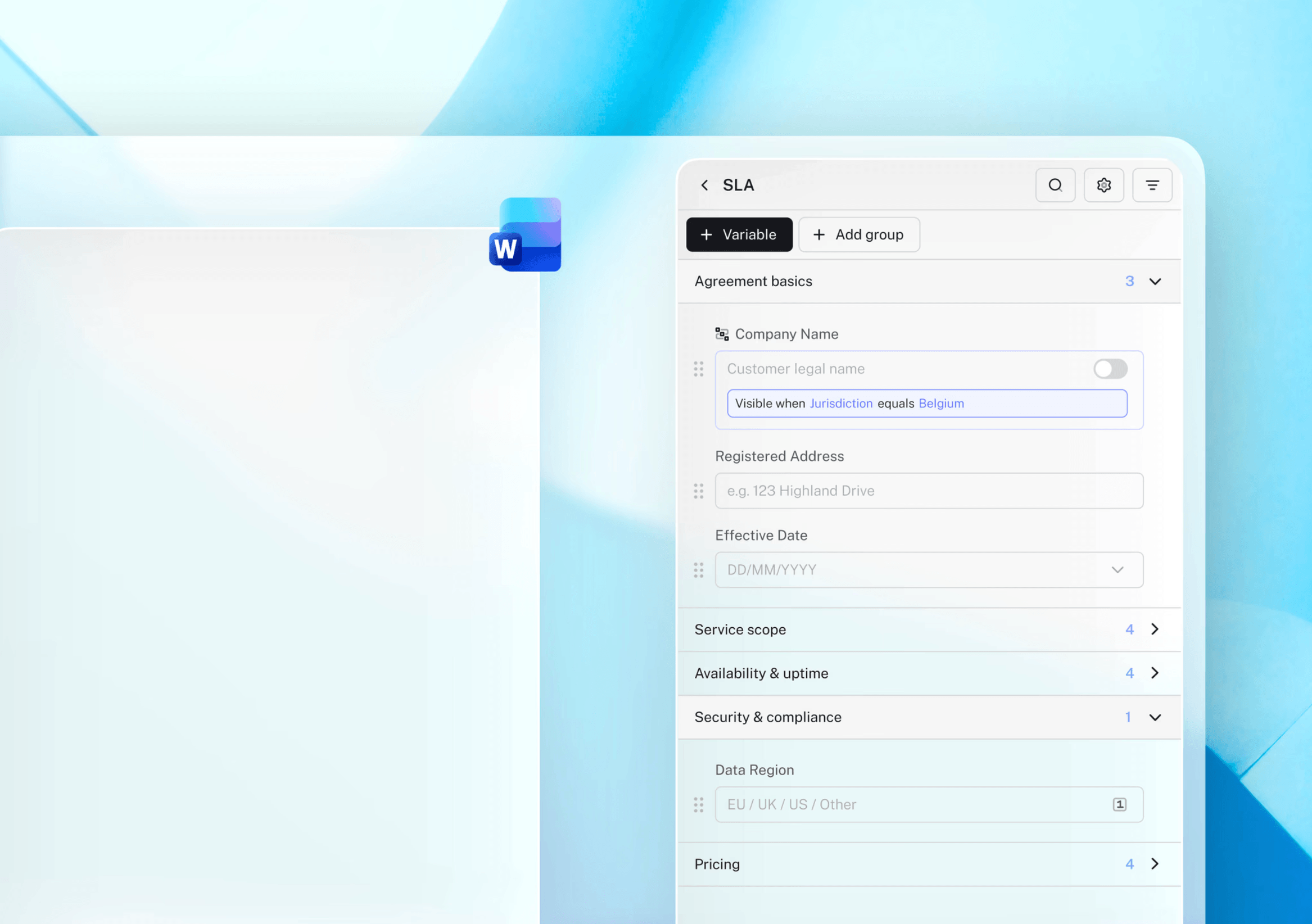
Step 2: Add context
Drag in an email, upload a supporting document, or paste in notes directly into the drafting panel. Then click Draft. LEGALFLY will automatically populate as many variables as possible from the information you've provided. The more context you add, the less you'll need to fill in by hand.
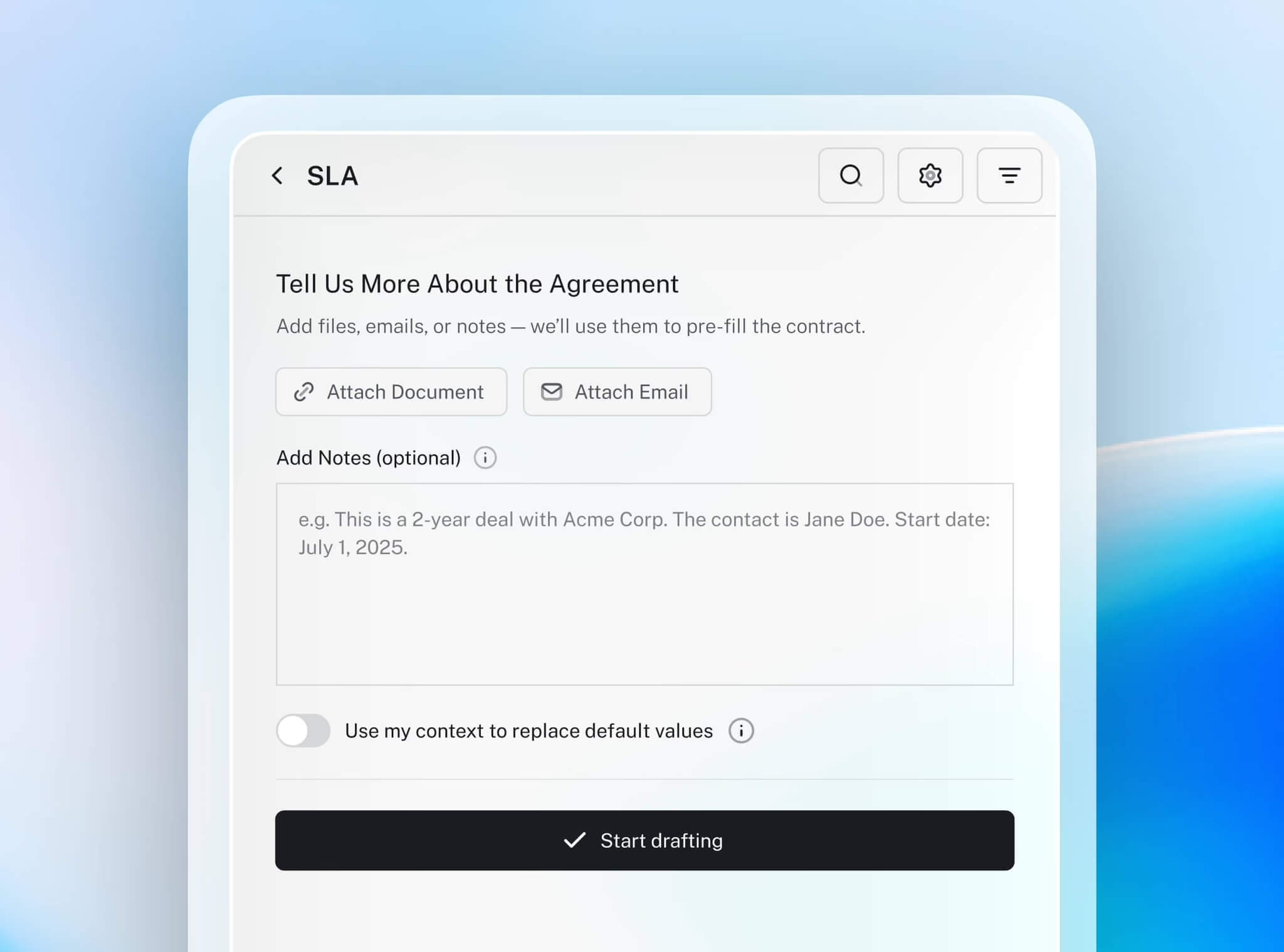
Step 3: Review and complete the draft
Once generation is complete, the sidebar shows you a clear breakdown of which fields have been populated and which are still missing. Work through any remaining gaps manually. You stay in control of every detail.
Step 4: Export or save
When you're satisfied, export a clean version for negotiation or execution, or save your draft to return to later. Every contract stays within your Word environment, with your templates and logic intact throughout.
Why book a demo?
Seeing is faster than reading. A live demo shows you exactly how LEGALFLY fits into your team's existing Word workflow, from template selection to final export, with your contract types and playbook positions, not a generic example. Book a session and see how much drafting time your team could get back.
Best for: Legal teams that want a secure, Word-native drafting solution designed for real-world contract workflows.
—
Read more: The LEGALFLY guide to AI for legal documents: How and where to use it
2. LexisNexis Create+ (with Henchman technology)
Create+ brings Lexis+ content and Henchman’s clause retrieval into Word and Outlook. It is strong on Word-native drafting, precedent grounding, and research links. However, it relies on a cloud-first setup, so data privacy and anonymisation are weaker than some competitors. It is most effective for firms already committed to Lexis+.
Key features
Guided templates to capture inputs and auto-populate documents
Integrated access to LexisNexis legal content and precedent libraries
Track changes and versioning built into the drafting interface
Best for: Firms that already use Lexis+ and want clause- and authority-aware drafting embedded in Word.
—
3. Thomson Reuters CoCounsel Legal (+ Westlaw Precision)
CoCounsel generates first drafts of memos, briefs, and contracts, backed by Westlaw and Practical Law. It is strong on research links and explainable edits, since drafts come with rules and citations. It is less advanced on Word-native drafting and system integration, and workflows are more geared to litigation and research-heavy tasks.
Key features
Access Standard Document model agreements and Automated Document templates from Practical Law
Prompt-based drafting of clauses with CoCounsel chat
Work in Microsoft Word
Best for: Firms and in-house teams using Thomson Reuters products that want drafting combined with legal research.
—
4. vLex Vincent AI
Vincent AI supports drafting with access to global statutes and case law. Its Word add-in validates citations and suggests additional authorities, making it excellent for cross-border precedent grounding and research links. It is weaker on templates, automation, and anonymisation, so it works best as a research-supported drafting assistant.
Key features
Draft arguments for litigations based on complaint documents.
Integrated with vLex legal database of case law
Suggested edits tailored to the legal context
Best for: Lawyers who draft across multiple countries and need research-supported drafting beyond one jurisdiction.

—
5. Juro
Juro offers contract drafting and CLM in one browser-based system, with AI clause suggestions and redlining. It performs well on templates, automation, playbook awareness, and Word integration. Its limitation is scope: it is focused on contracts rather than broader legal drafting. For high-volume in-house contracts, however, it is a strong fit.
Key features
Draft contracts from scratch with a plain-language prompts
Automated suggestions on clauses and additional details to include
Contract approval workflows built-in
Best for: In-house legal teams who want CLM and AI-assisted drafting combined in one platform.
—
6. Ironclad AI Assist
Ironclad combines a browser editor and a Word add-in, with AI Assist suggesting playbook-driven edits and redlines. It is strong on Word-native workflow, automation, and system integration with Ironclad’s CLM. It is weaker on research links and explainable edits, since its focus is consistency at scale rather than reasoning or citations.
Key features
Create pre-approved clause libraries so that language aligns with your legal style
Prompt-based editing and summarization
Contract approval workflows and other CLM features available in the same platform
Best for: Enterprises already using Ironclad CLM that want drafting and redlining tied directly to workflows.
—
7. SpotDraft VerifAI
VerifAI is a Word add-in that reviews contracts against playbooks and suggests redlines. It is strong on Word-native drafting, playbook awareness, and 365 integration, with optional CLM for broader workflows. It is weaker on research links and anonymisation, making it a good fit for teams that want a simple, playbook-driven assistant.
Key features
Create libraries of reusable contract templates
Questionnaires for autofilling template fields
Create automated workflows to route approval requests
Best for: Legal teams who want a straightforward Word-based drafting assistant, with or without full CLM.
—
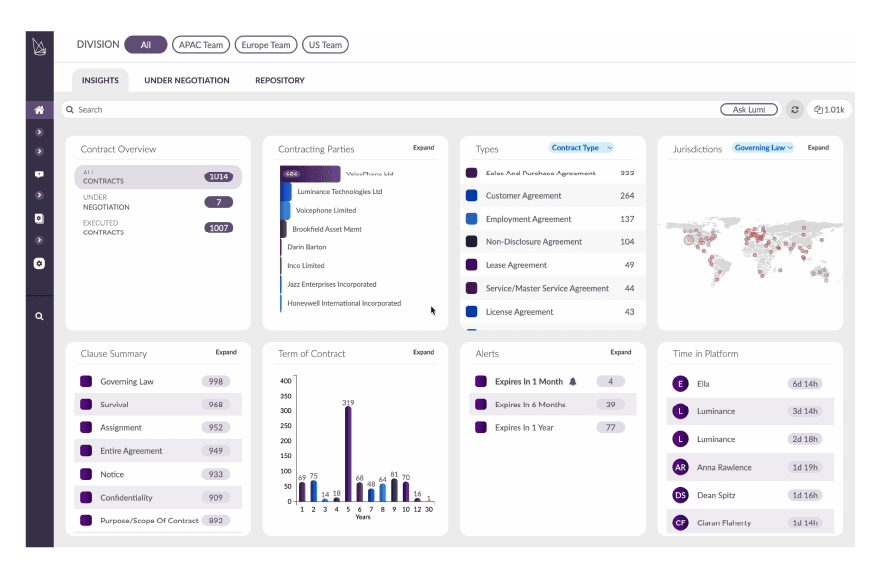
8. Luminance
Luminance extends from contract analysis into drafting, with strengths in anomaly detection, jurisdiction awareness, and compliance mapping. It is powerful for large, complex transactions but is weaker on Word-native drafting and usability, requiring more training than most competitors.
Key features
Automated contract generation from customisable templates.
AI-powered clause drafting and redrafting using tools like Lumi Redraft and Lumi Generate to convert non-standard or risky language into company-approved clauses.
Self-serve contract generation for business teams using pre-approved templates.
Best for: Firms and corporates managing high-stakes, multi-jurisdictional contracts with compliance demands.
—
9. Harvey AI
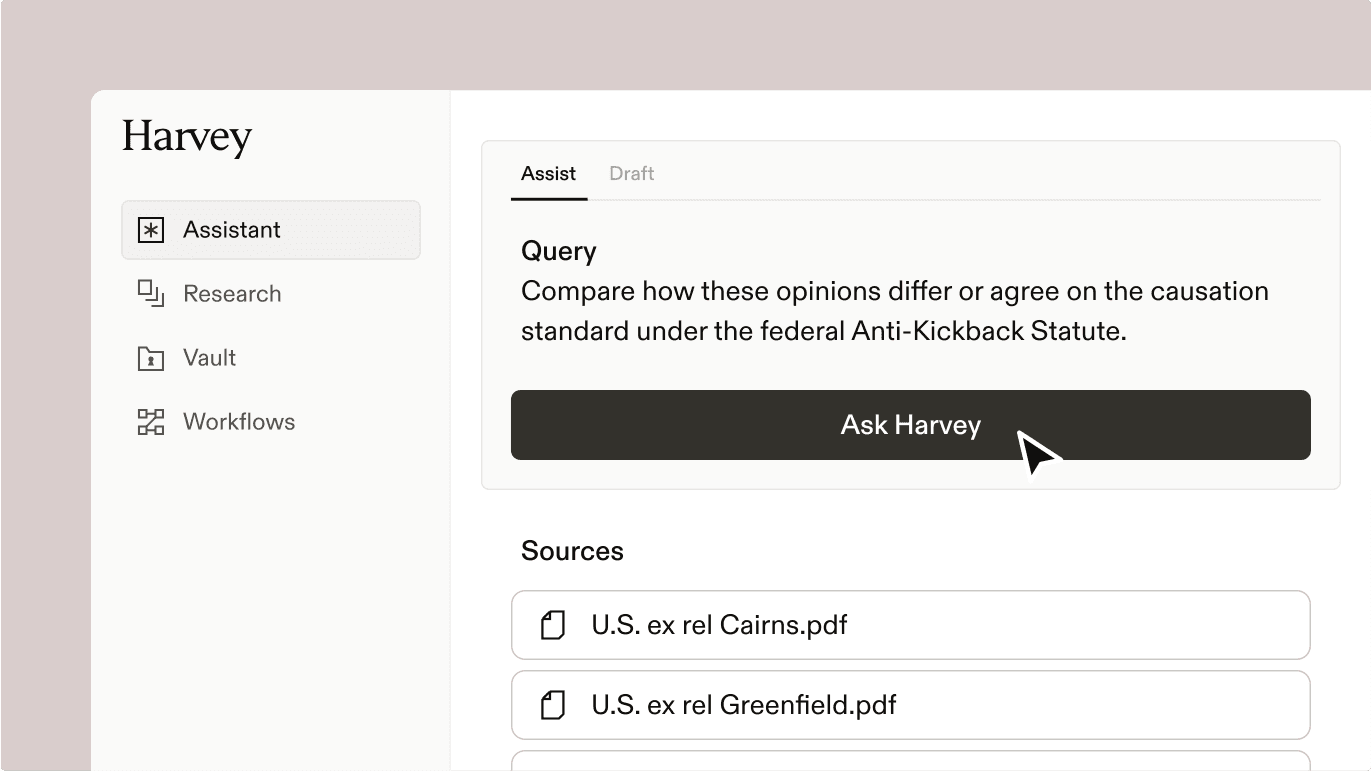
Harvey AI is a general-purpose legal assistant trained on legal datasets and widely adopted by major law firms. It can draft contracts, summarise case law, and generate memos across practice areas. It supports multiple legal workflows, from litigation to transactional drafting. However, it does not include specialised features for contract drafting, creation and auto-population of templates in the way other tools do.
Key features
AI assistant for prompt-based clause and memo drafting
Translation into multiple languages
Available via a Word Add-in
Best for: Large law firms seeking a broad AI legal assistant across multiple practice areas, rather than a drafting-first solution.
Read more: How to use AI for contract review and analysis: a LEGALFLY guide
—
Best AI tools for legal drafting at a glance
SOLUTION | SHORT DESCRIPTION | BEST FOR |
|---|---|---|
Comprehensive Word-native drafting and review with secure AI. | Secure, Word-first legal drafting for in-house teams. | |
LexisNexis Create+ (Henchman) | Clause retrieval and research-linked drafting in Word. | Lexis users needing authority-aware drafting. |
Thomson Reuters CoCounsel Legal | AI drafting backed by Westlaw/Practical Law. | Teams wanting drafting + deep legal research. |
vLex Vincent AI | Drafting with global case law and citation checks. | Cross-border legal work. |
Juro | Browser-based drafting with CLM automation. | In-house teams wanting a single solution for CLM + drafting. |
Ironclad AI Assist | Playbook-driven drafting inside Ironclad CLM. | Enterprises using Ironclad. |
SpotDraft VerifAI | Word add-in for playbook checks and redlines. | Teams wanting simple Word-based review. |
Luminance | Drafting + risk/compliance analysis. | Contract generation from existing templates. |
Harvey AI | Broad legal assistant for drafting + research. | Large firms needing multi-workflow AI. |
—
What to look for in AI legal drafting tools in 2026
When assessing AI drafting tools, it helps to be clear on the baseline. Tools like ChatGPT can generate text, but legal teams need more than that. The best AI tools for lawyers share these benchmarks:
Word-native workflow. The best tools allow lawyers to draft and redline directly in Microsoft Word with tracked changes, removing the need to copy and paste text between platforms.
Precedent grounding. AI for legal writing should deliver suggested language from a firm’s own clauses, playbooks, and prior deals, ensuring consistency and alignment with established practice.
Playbook and jurisdiction awareness. They apply fallback positions and governing-law-specific rules automatically, reducing manual effort in complex scenarios.
Explainable edits. Every change is accompanied by a clear rationale (whether a policy, a precedent, or a citation) so lawyers can understand and validate the output.
Research links. Where relevant, they provide one-click access to authorities, statutes, or guidance directly tied to the draft.
Security and privacy. Leading tools do not train external models on user data by default, and they include audit trails and granular access controls. The most secure legal AI also anonymises documents before analysis.
Microsoft integration. They work where lawyers already work.
Templates and automation. They generate first drafts from structured data or questionnaires, enabling routine agreements to be created in minutes.
These are the standards we used to compare the following platforms.
What the technology behind good legal writing AI actually does
You should prioritise security, regulatory compliance, and accuracy when selecting AI tools for legal writing.
1. Advanced natural language processing (NLP) for legal text
Legal writing requires precise terminology, logical reasoning, and strict formatting. AI tools should be trained on legal datasets and be able to:
Interpret legal terminology correctly across different jurisdictions.
Recognise contextual differences between contracts, case law, and statutory language.
Generate clear, concise, and legally sound text.
Without strong NLP capabilities, AI-generated legal text may contain ambiguities, improper phrasing, or misinterpretations of case law, increasing compliance risks.
2. Legal citation and formatting automation
It goes without saying that you should be able to count on accuracy in citations, references, and document structure. Legal AI tools should:
Automatically generate and format citations according to legal standards.
Support inline case citations and reference validation to ensure accuracy.
Maintain consistent document formatting.
AI tools lacking built-in citation features require manual checking, slowing you down and increasing the risk of non-compliance.
3. Integration with legal research platforms
AI tools should connect with legal research databases to enhance efficiency and compliance. A strong legal AI tool should:
Provide real-time access to statutes, regulations, and case law.
Automate case law retrieval for quick validation of legal arguments.
Enable cross-referencing between drafted text and authoritative legal sources.
Without research integration, AI-generated legal arguments risk being outdated or legally unsound, requiring additional checks.
4. Security and confidentiality features
AI tools used in legal work should protect sensitive information. Key security features to look for include:
On-premise or private cloud deployment to ensure compliance with data protection laws.
No external data retention or AI model training on confidential input.
End-to-end encryption and access controls to prevent unauthorised access to sensitive documents.
Public AI models (like ChatGPT or Gemini) store input data, posing a risk for firms handling legally sensitive or regulated information.
5. User-friendly interface
Legal AI tools should fit into existing workflows rather than disrupt them. A well-designed platform will:
Integrate with Microsoft Word, document management systems, and software like Slack.
Allow customisation of AI-generated templates to align with firm-specific language and compliance needs.
Be intuitive, minimising training requirements.
Legal writing tasks where AI excels
AI can help legal teams draft documents, summarise complex information, and conduct research more efficiently. While AI can significantly reduce the time spent on routine writing tasks, you should ensure that its outputs are accurate, compliant, and aligned with your organisation’s policies.
1. Drafting and formatting
Contract drafting
AI can produce first drafts of NDAs, employment agreements, and commercial contracts using your templates.
Precedent-based drafting
AI can suggest clauses based on prior contracts, ensuring consistency across legal documents.
Regulatory compliance documents
AI can assist in drafting policies and agreements that align with regulations such as DORA.
Formatting and structuring
AI can maintain consistent numbering, definitions, and references, reducing the need for time consuming manual corrections.
2. Summarisation
Legal teams often deal with large volumes of case law, contracts, and regulatory updates. AI can extract key information quickly, making it easier to review essential details. AI-powered summarisation is particularly useful for:
Case law summaries
AI can condense judgments and highlight relevant legal principles.
Contract analysis
AI can extract key obligations, risks, and termination clauses from long agreements.
Due Diligence reports
AI can review corporate documents and highlight legal risks in mergers and acquisitions or compliance audits.
Legislative and regulatory updates
AI can track changes in laws and generate concise updates for legal teams.
3. Research
Legal research is a time-intensive process that requires access to accurate, up-to-date case law and regulatory materials. AI can help by finding relevant legal information faster and improving search precision. Key applications include:
Case law retrieval
AI can identify relevant precedents based on specific legal issues and jurisdictions.
Statutory interpretation
AI can compare legal provisions across different jurisdictions, assisting with cross-border compliance.
Regulatory compliance checks
AI can assess whether contracts and policies align with legal standards, then flag and amend inconsistencies.
Trend analysis
AI can identify patterns in case law, litigation outcomes, and enforcement actions, helping legal teams anticipate risks
—
Conclusion
AI can speed up legal writing, but security and compliance matter as much as efficiency. Public AI models introduce risks, from data retention to potential loss of confidentiality. Legal teams need AI that fits their workflows without compromising confidentiality.
LEGALFLY is built for legal professionals, ensuring secure, accurate, and compliant AI-assisted drafting. Unlike general AI, it protects privileged work while accelerating contract creation, research, and compliance checks.
—
FAQs
What is the best AI tool for legal drafting in 2026?
The best tool depends on your needs. LEGALFLY is a good option because it works directly in Microsoft Word, grounds edits in your playbooks, adapts to governing law, and anonymises sensitive data before analysis. Other tools like LexisNexis Create+, CoCounsel, and Juro work if you are already invested in their broader platforms.
Can AI draft contracts in Microsoft Word?
Yes. Most leading AI drafting tools now integrate with Microsoft Word through add-ins or plugins. This allows lawyers to draft, redline, and apply playbooks without leaving Word. LEGALFLY, LexisNexis Create+, Ironclad, SpotDraft, and Robin AI all offer Word-native workflows.
Is AI legal drafting secure?
Security depends on the provider. Public AI models such as ChatGPT or Gemini may store input data, which is a risk for confidential legal work. Purpose-built platforms like LEGALFLY anonymise documents before analysis and provide enterprise-grade security, ensuring no sensitive data is exposed.
Will AI replace lawyers in contract drafting?
No. AI accelerates first drafts and automates routine edits, but it does not replace legal expertise. Lawyers remain essential for interpreting context, negotiating terms, and making final decisions. The best tools act as drafting assistants, reducing manual work while keeping lawyers in control.
Disclaimer: We wrote this article in Q4 2025. The information was based on our own online research and we were not able to manually test each tool or provider. The information is provided for educational purposes only and a reader should consider the specific requirements of their business when evaluating providers. This research is reviewed every six months. If you would like to request an update, feel free to contact us.