





Legal teams are under more pressure than ever to move faster with the same headcount. Workflow automation is how the best in-house teams are doing it, removing manual handoffs, standardising review processes, and giving lawyers back time for work that actually requires their judgment.
This guide covers the ten best legal workflow automation tools in 2026.
Note: If your legal team is still managing contract approvals manually, chasing sign-offs, routing documents by email, and running compliance checks one agreement at a time, LEGALFLY automates the entire workflow inside the tools you already use. Contract review, drafting, compliance checks, and approval routing, all in one platform. Book a demo to see how much of that manual work disappears.
The 10 Best Legal Workflow Automation Tools For 2026
Below is a comparison of leading platforms helping legal and procurement teams automate workflows, manage contracts, and improve compliance.
1. LEGALFLY
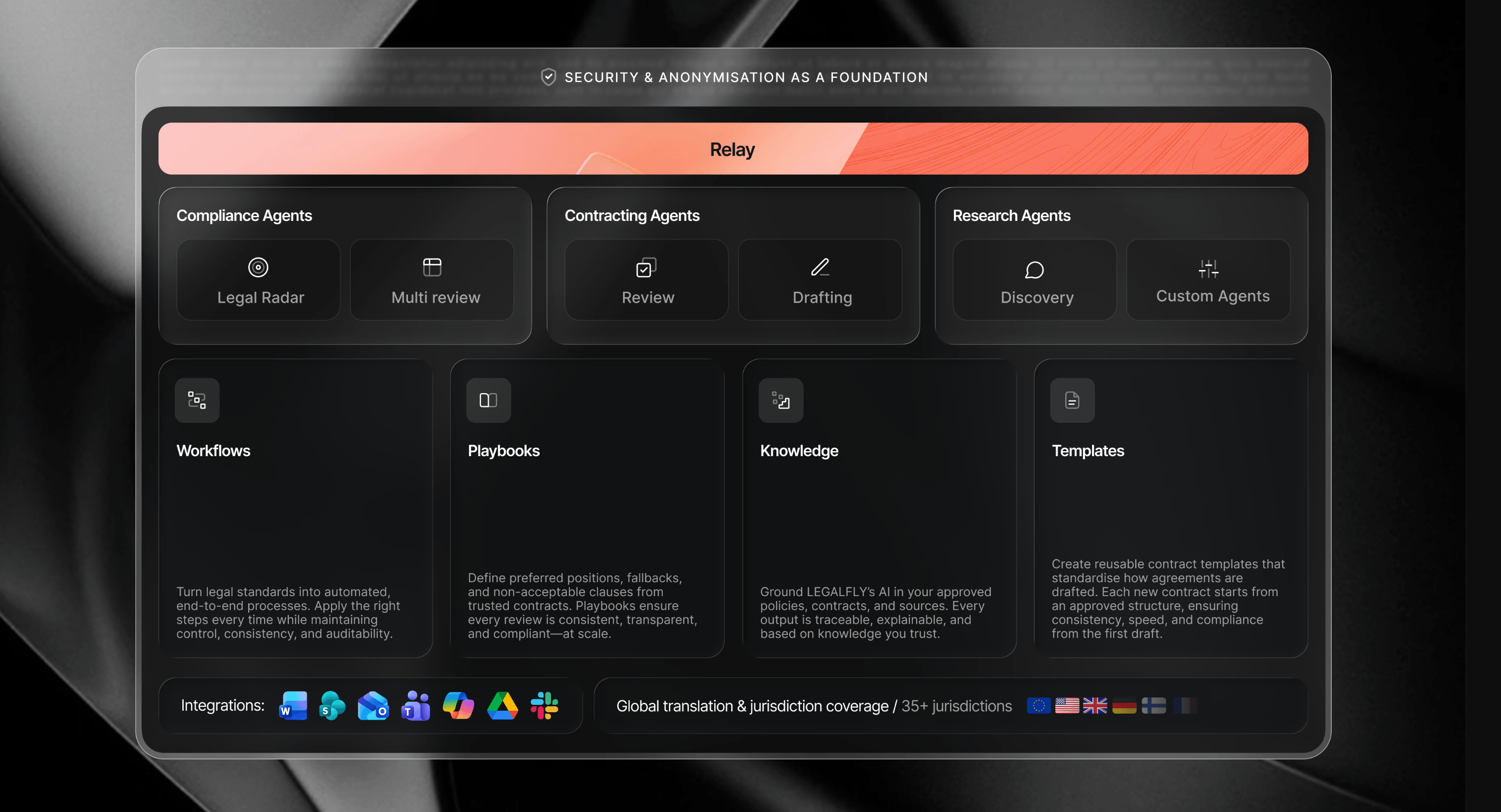
Most workflow automation tools manage processes. LEGALFLY automates the legal work itself, contract review, drafting, compliance checks, and research, inside a single platform that works within the tools your team already uses. Legal teams at SAP, Lufthansa, and AXA use it to cut contract review from two hours to 15 minutes, without removing your team from decisions that matter.
Who it's for: In-house legal, compliance, and procurement teams at mid-to-large regulated enterprises that need to automate contract review, approval routing, and compliance checks inside Microsoft 365, without switching platforms or rebuilding existing workflows.
Why LEGALFLY ranks first for in-house legal teams
Most workflow automation tools on this list manage one part of the process. Ironclad handles the contract lifecycle. DocuSign owns signature and routing. Onit focuses on spend and matter management.
LEGALFLY is the only platform on this list built exclusively for in-house legal teams that automates the legal work itself, not just the process around it. Contract review, drafting, compliance checks, and regulatory monitoring all run inside Microsoft 365, with automatic data anonymisation before any AI processing begins. No manual redaction. No platform switching. No generic AI applied to sensitive documents.
For in-house legal teams at regulated enterprises managing contracts at volume, that combination of legal depth, privacy-first architecture, and Microsoft 365 integration is what puts LEGALFLY at the top of this list.
Customer reviews
LegalFly as an all-round efficiency booster. The review functionality has significantly improved my work processes, allowing me to analyse documents faster and more accurately. The discovery functionality has proved to be an absolute added value for me. It allows me to check off legal ideas and spar with an AI colleague, which enriches my thought process and helps me consider different perspectives. Nevertheless, it is crucial to remain critical as a legal expert. The lawyer remains the pilot making the final decisions, while LEGALFLY acts as a powerful co-pilot supporting and speeding up the process.
Lars V. | Lawyer - Capterra
Very good legal tool, I use Legalfly to summarise legal articles, give specific legal examples or ask general legal questions to get me started. Overall, I am very satisfied with how it works and with the output.
Verified User in Banking | Enterprise - G2
Here is what our legal workflow software can do.
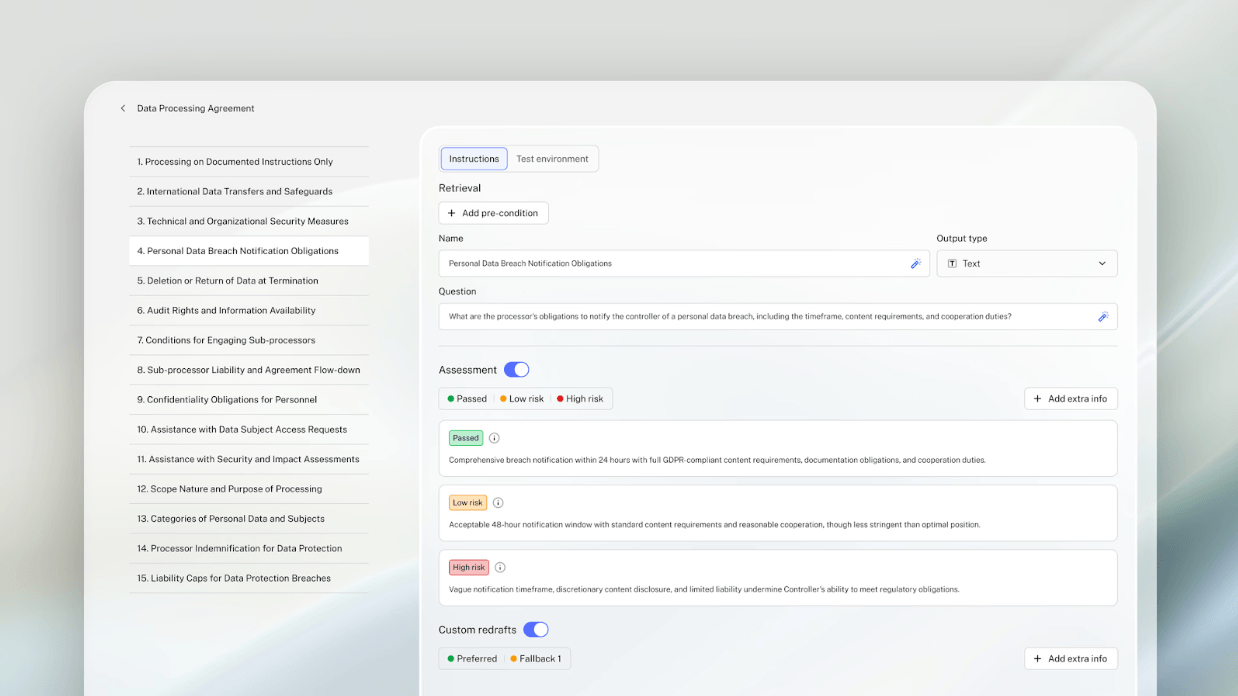
Playbook-driven contract review
Every contract review in LEGALFLY runs against a playbook that encodes your organisation's specific positions, acceptable liability caps, approved data handling clauses, fallback language for non-standard terms.
Risks are flagged, deviations are highlighted, and redrafts are suggested, all mapped to your standards, not generic benchmarks. Reviews that used to take hours are completed in minutes, with a full audit trail for every decision. See our playbooks here.
Contract drafting from approved templates
LEGALFLY drafts from your own templates, not a blank page. Upload your existing agreements and the platform converts them into smart templates in minutes, detecting variables like party names, governing law, and payment terms automatically. Every new contract starts from an approved structure, with a reported 50% reduction in drafting time. Non-legal professionals or teams can self-serve routine agreements within guardrails legal sets once. See for yourself why we are ranked among the top legal drafting AI tools.
Batch compliance checks with Multi-Review
When regulations change, LEGALFLY's Multi-Review Agent lets legal and compliance teams scan hundreds of contracts simultaneously, checking for compliance with GDPR, DORA, or any other regulatory framework in a single run. What would previously require weeks of manual review becomes a structured, auditable process that takes a fraction of the time.
Custom workflows with Agent Studio
Agent Studio lets legal teams build their own multi-step AI workflows tailored to specific processes, NDA approval chains, supplier onboarding flows, compliance audit sequences, with legal sign-off built in at every stage. You define the process once. The legal workflow management software runs it consistently at scale, with human oversight at every decision point that requires it.
Regulatory horizon scanning with Legal Radar
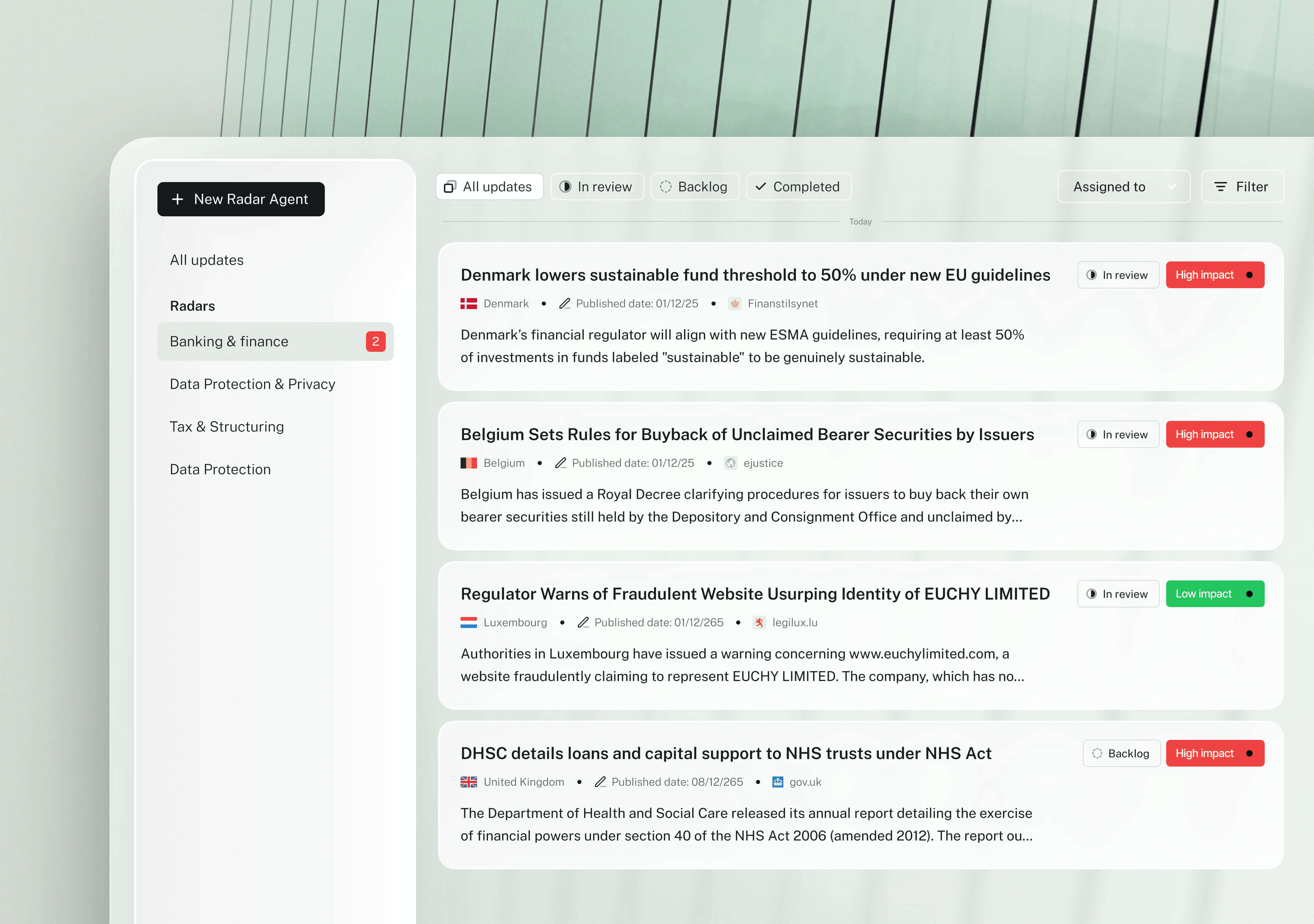
LEGALFLY's Legal Radar agent monitors regulatory and legislative updates across your jurisdictions of interest and delivers tailored impact assessments directly to your inbox. Compliance teams stop relying on manual monitoring and start getting proactive alerts on changes that affect their contracts and policies before they become a problem.
If your team is adopting AI tools for the first time and wants to build a solid foundation before automating workflows, LEGALFLY offers this AI legal training for professionals — free, self-paced, and built specifically for your GC team.
Privacy-first by design
Every document processed through LEGALFLY is anonymised before any AI sees it. Names, financials, and sensitive identifiers are stripped at the architecture level, not as an optional setting, but as the default. LEGALFLY is ISO 27001 and SOC 2 Type II certified, with on-premises deployment available for organisations with strict data residency requirements.
Most teams using LEGALFLY cut their contract review time in half within a few weeks of onboarding. Book a short demo to see how it works for your business.
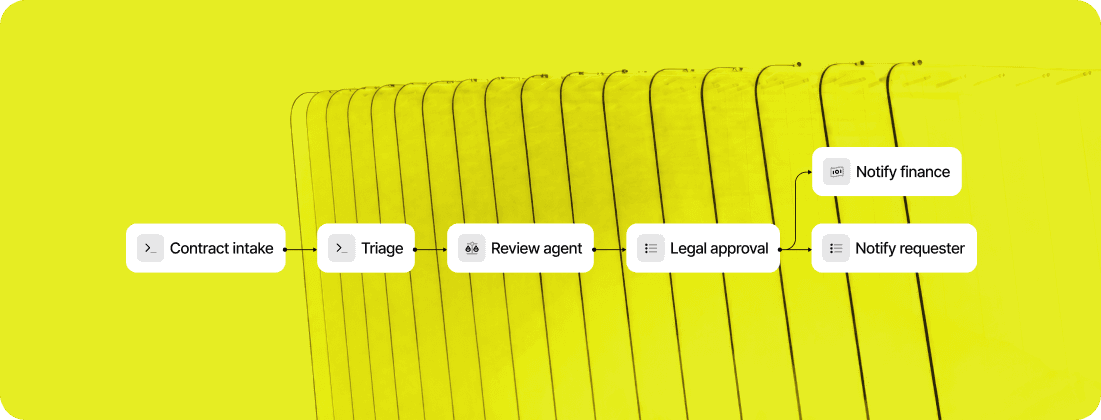
How LEGALFLY Agent Studio automates legal workflows: step by step
Agent Studio is not a task tool. It is a workflow tool. Here is how in-house legal teams use it to move a legal request from intake to approval without manual coordination at every stage.
Step 1: The request comes in
A legal request arrives via email, Slack, or Microsoft Teams, or is submitted manually inside the platform. Agent Studio captures it and routes it into the correct workflow automatically. No inbox management, no manual triage, no forwarding to the right person.
Step 2: Configure your workflow logic
You define what happens at each step: which agent handles the task, what routing rules apply based on contract type, department, or risk level, and when escalation is triggered. This is set once and runs automatically every time that workflow type is initiated.
Step 3: LEGALFLY agents execute the work
The relevant LEGALFLY agent handles the legal task. That could be contract review against your playbooks, due diligence across multiple documents, legal research via the Discovery agent, or a custom agent built around your specific use case. The work runs based on the logic you configured, without anyone in legal manually assigning or monitoring it.
Step 4: Escalation happens automatically
If a contract meets a defined risk threshold or requires senior sign-off, Agent Studio escalates it through the approval chain you have set up. Contracts that do not require escalation move forward on their own. Nothing stalls because someone forgot to follow up.
Step 5: Legal reviews and approves
At every decision point you have defined, legal receives the output for review and approval before it moves to the next stage. Your team stays in control of every consequential decision. What changes is that the process delivers the work to them, rather than requiring them to chase it.
Step 6: Stakeholders are notified automatically
When a step is complete or requires attention, the right person is notified, whether that is legal, sales, procurement, or another stakeholder. No manual status updates, no chasing across email threads.

Best for: In-house legal, compliance, and procurement teams at regulated enterprises that need workflow automation built around their own standards, not generic AI applied to their documents.
Click here to book a demo and see how LEGALFLY can automate your most time-consuming legal workflows.
2. Clio Manage
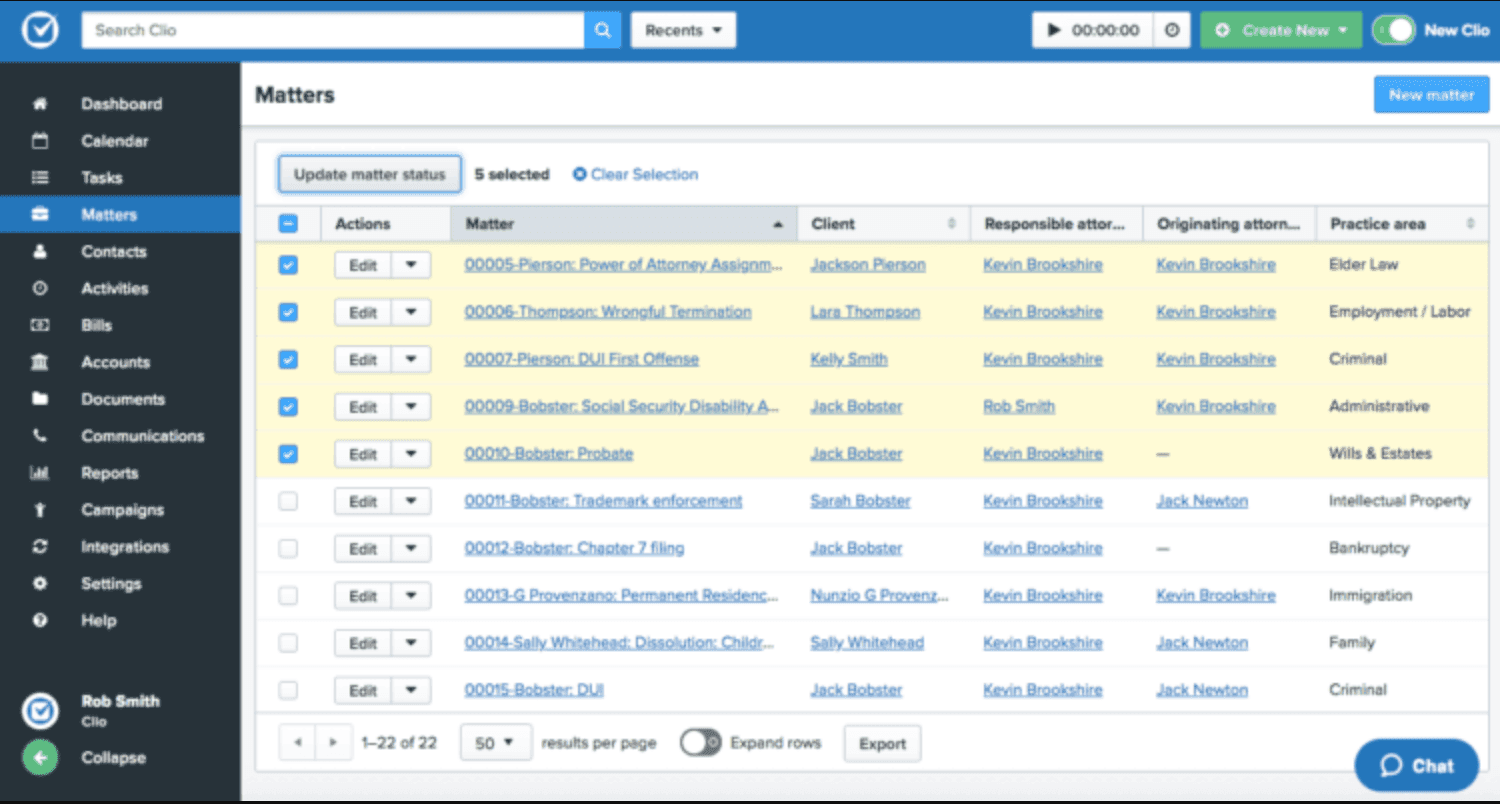
A well-known platform for law firms of all sizes, Clio automates task management, billing, and document workflows, helping smaller teams eliminate administrative overhead. Clio's intuitive dashboard centralizes client intake, calendaring, and trust accounting with seamless integrations to QuickBooks and Microsoft 365, enabling solo practitioners and small firms to automate matter pipelines from initial consultation to invoicing.
Its mobile app supports on-the-go approvals and time tracking, reducing no-shows through automated reminders, while robust reporting tools provide insights into billable hours and firm performance without manual data entry.
3. Smokeball
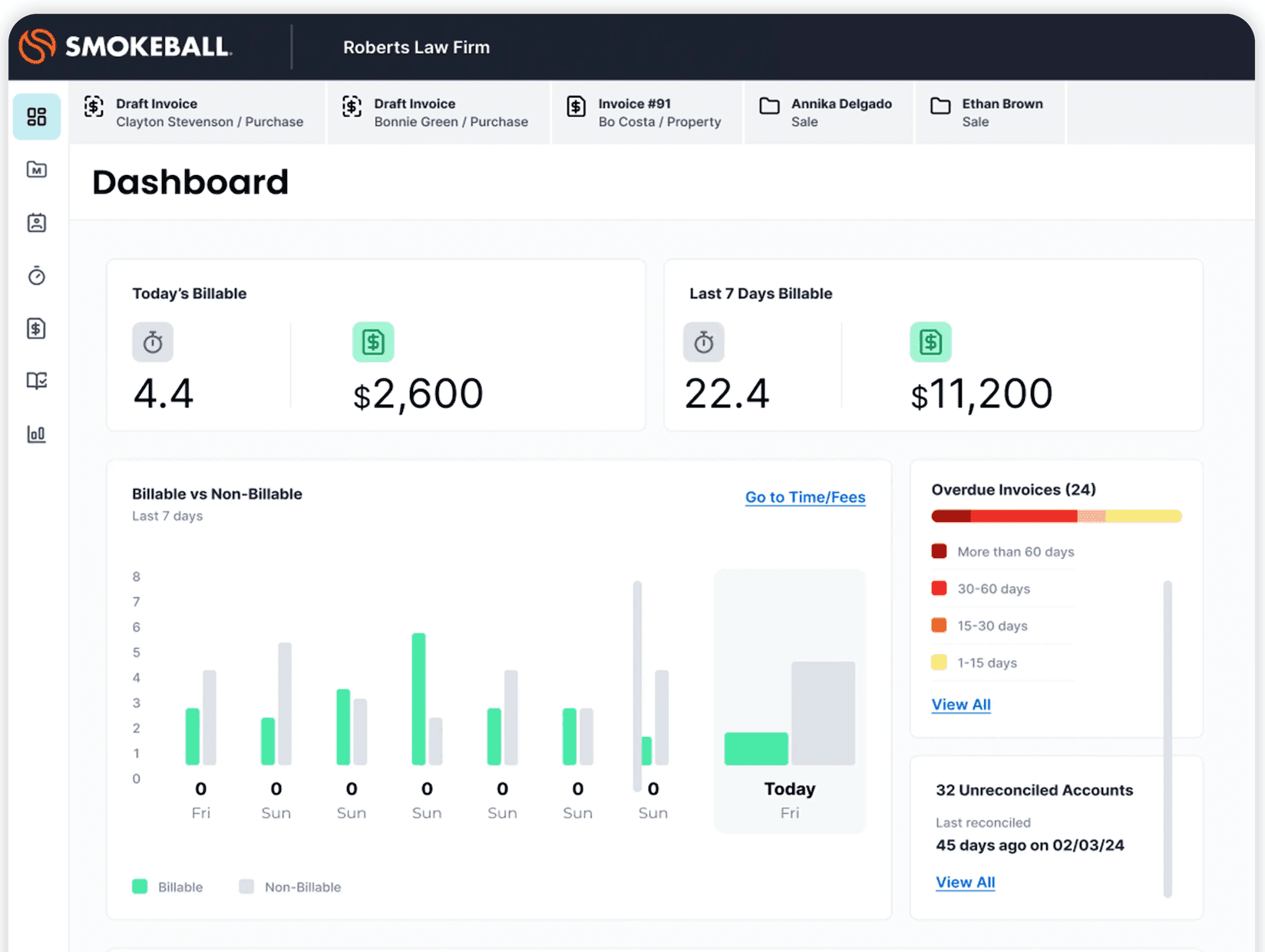
Best suited for small to mid-size firms, Smokeball automates legal document creation and matter management while tracking activity-based time to improve productivity. Powered by AI-driven document automation, it auto-populates templates from case data, streamlines mergers & acquisitions workflows, and captures billable time automatically across emails and calls.
Firms claim faster document assembly and improved realization rates through integrated billing that flags unprofitable matters early, making it ideal for personal injury or family law practices needing quick scalability without IT overhead.
4. Litera Transact
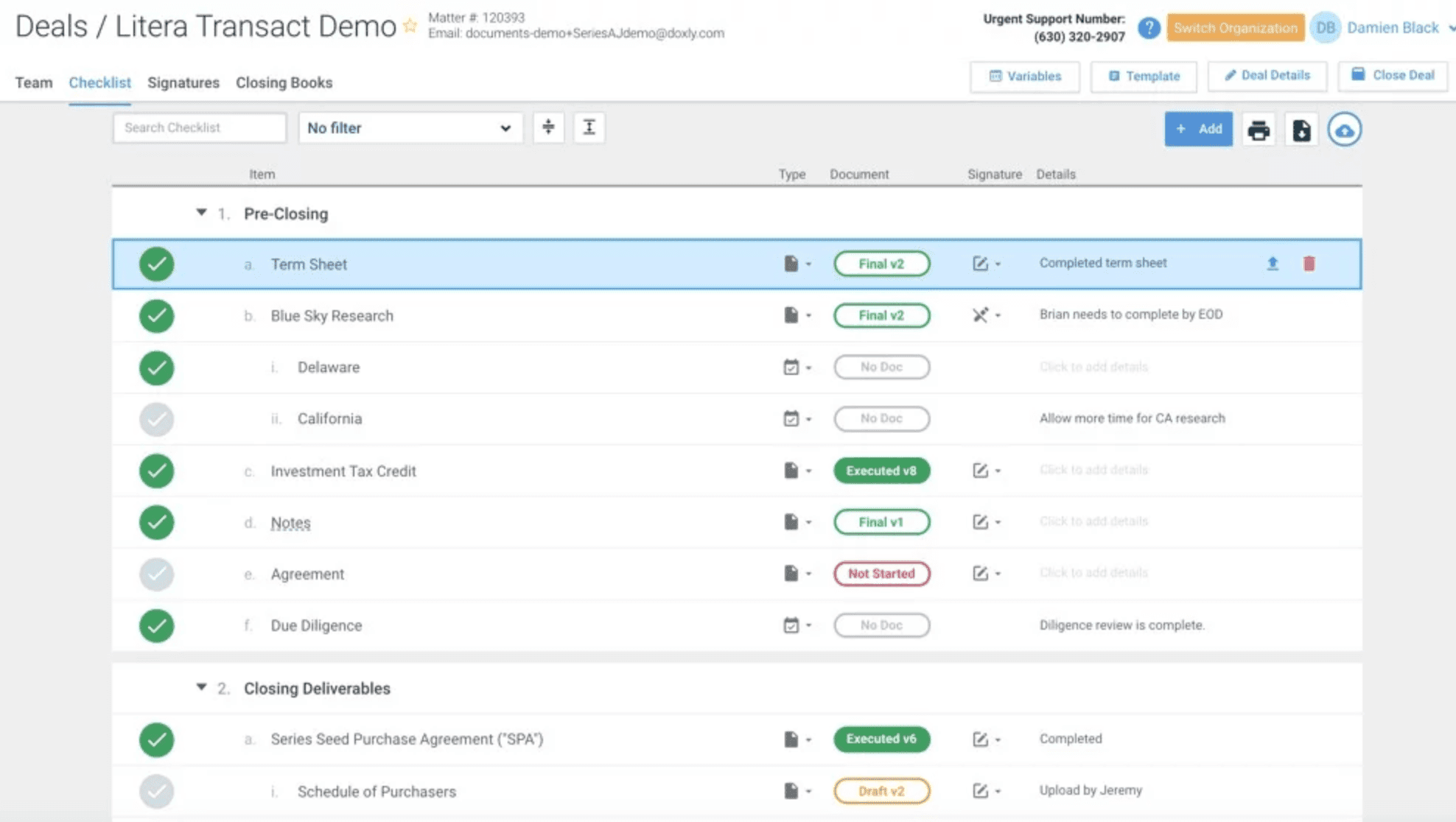
Focused on transactional practices, Litera Transact automates deal checklists and closing management, offering real-time visibility and collaboration for deal teams. It excels in M&A and real estate deals by syncing dynamic checklists across closings books, due diligence trackers, and stakeholder portals, with version control that prevents errors in high-stakes environments.
Integrated with DealRoom for secure file sharing, it cuts closing times by automating certificate generation and post-closing audits, empowering corporate teams at AmLaw 100 firms to handle complex transactions with minimal manual coordination.
5. Actionstep
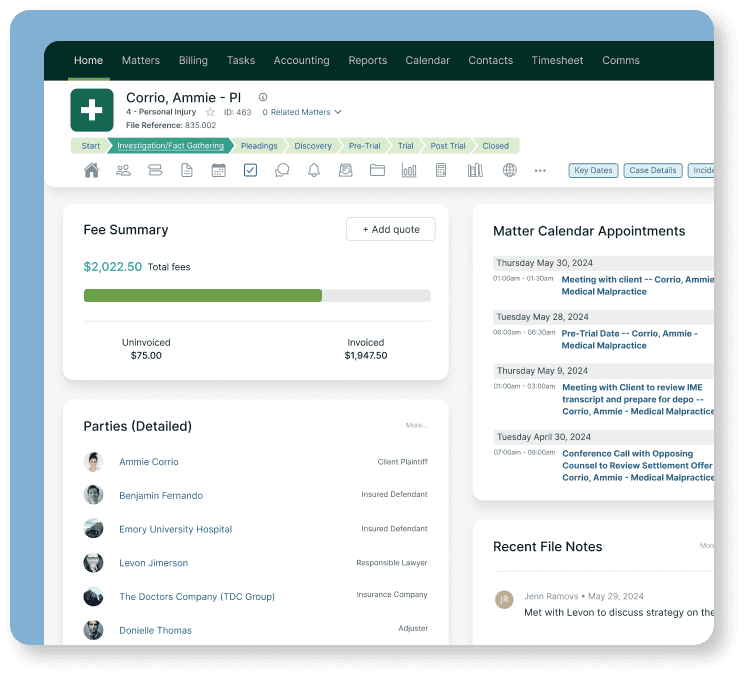
A comprehensive practice management solution for mid-size and large firms. It supports workflow automation, reporting, and matter management in a single platform. Actionstep's no-code workflow builder lets firms customize intake-to-closeout processes for litigation or conveyancing, with API-driven integrations to Xero accounting and DocuSign for end-to-end automation.
Its relational database handles unlimited matters and custom fields, delivering real-time dashboards on KPIs like cycle times and WIP, which helps scaling firms in Australia and the US streamline operations across multiple offices without vendor lock-in.
6. Ironclad
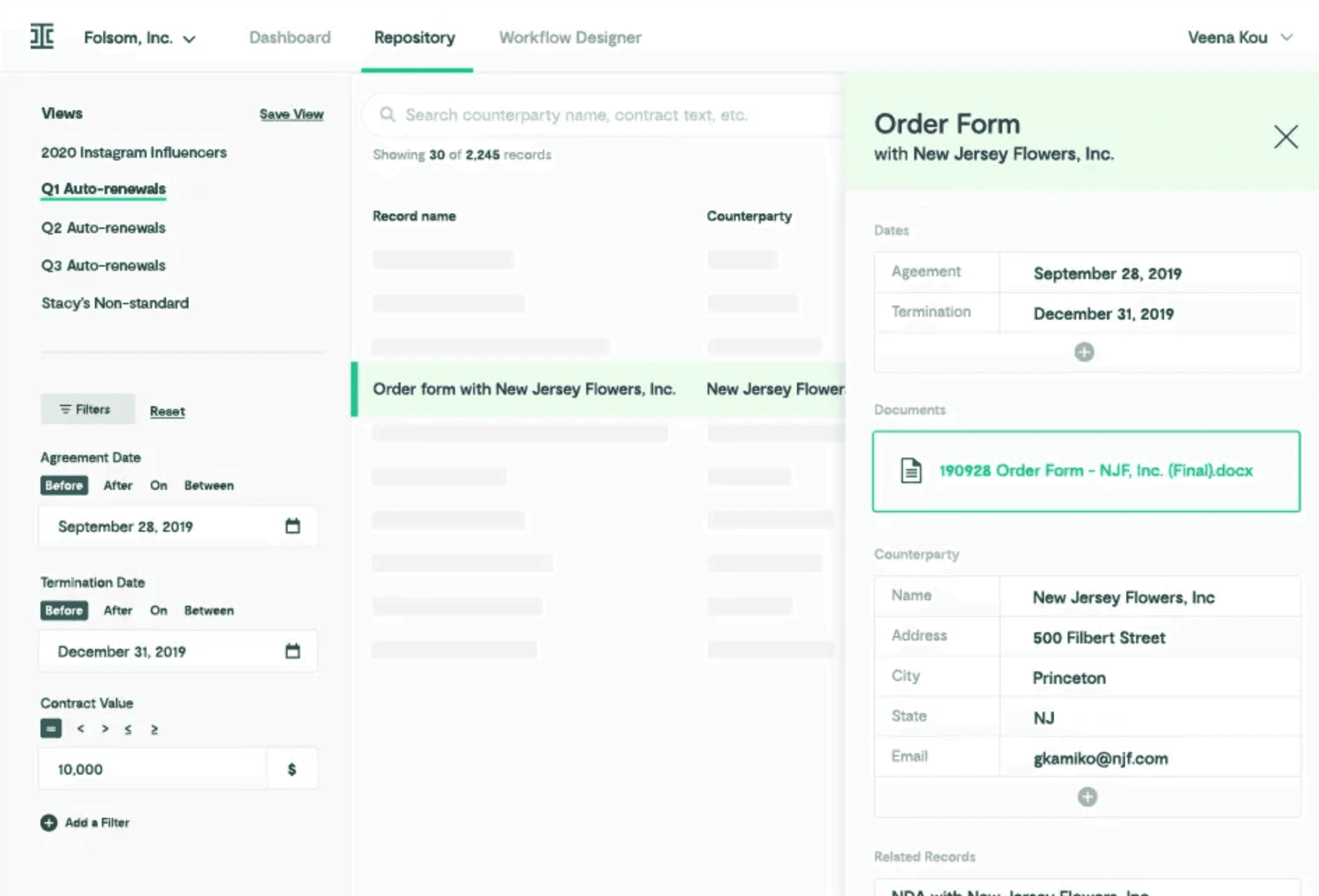
An enterprise-grade contract lifecycle management platform. Ironclad uses AI for contract analysis, approval routing, and risk detection, giving in-house teams full visibility over their contract pipeline. Its Workflow Designer maps multi-stage approvals with conditional logic, while the AI-powered repository searches clauses instantly and generates insights on negotiation trends.
Many companies rely on it for self-service contracting via pre-approved templates, reducing cycle times by 80% and ensuring compliance through obligation tracking that alerts on renewals and milestones.
Compare LEGALFLY vs Ironclad legal AI.
7. Lawcus
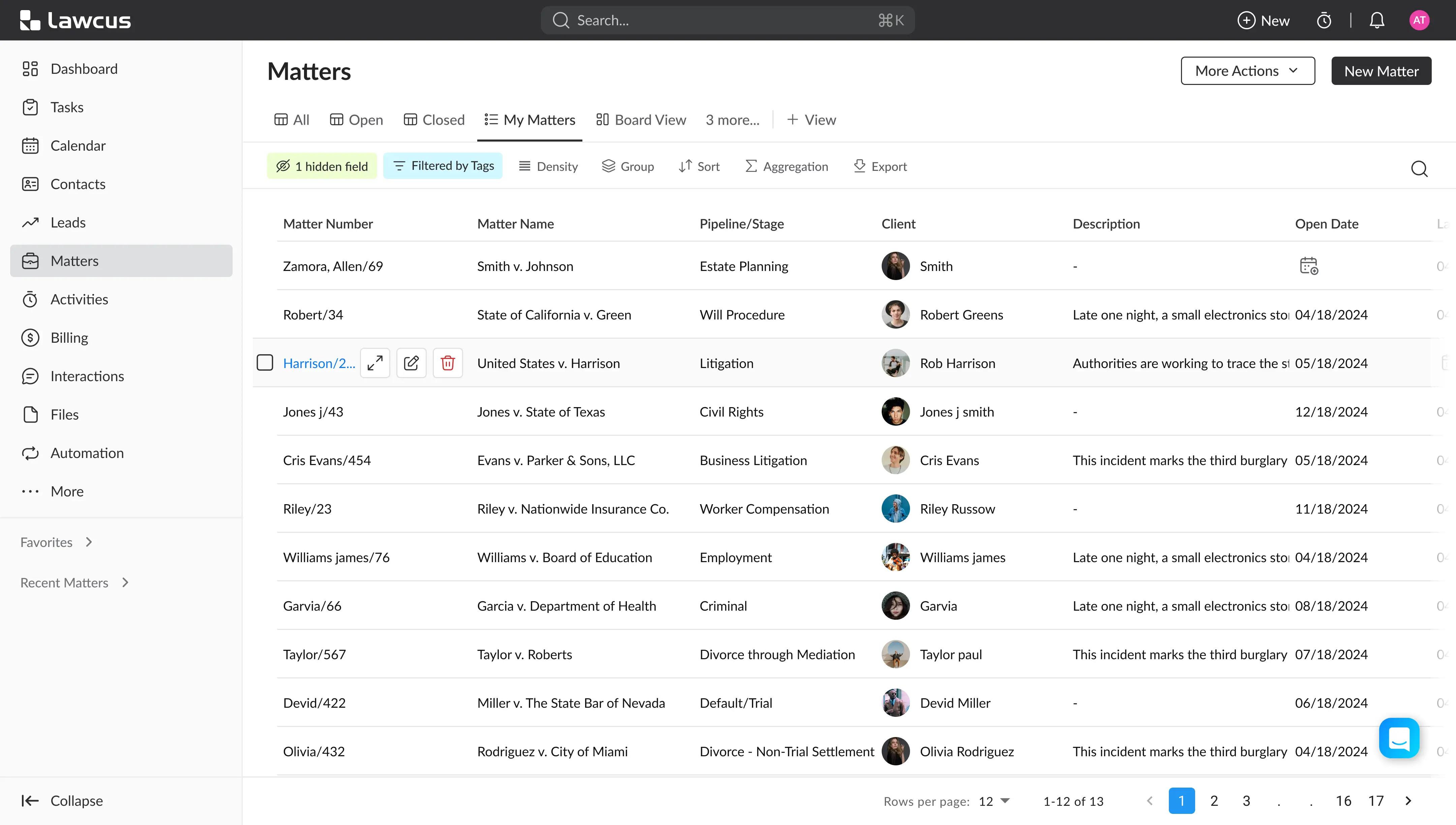
An easy-to-use visual workflow builder with built-in CRM functionality. Lawcus simplifies client intake, task automation, and collaboration across legal teams. Its drag-and-drop pipelines visualize matter stages with automated triggers for emails, payments, and deadlines, integrating natively with Google Workspace for flat-fee billing and client portals.
Small firms love its affordability and pipeline forecasting, which predicts bottlenecks and revenue, enabling solo attorneys to manage caseloads efficiently while fostering client relationships through branded portals and one-click invoicing.
8. Onit
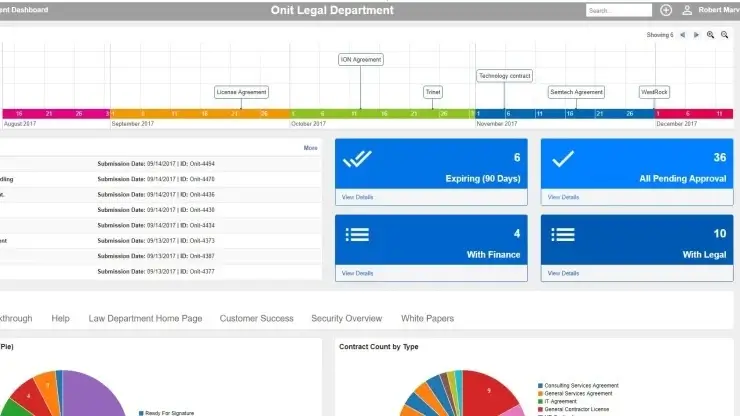
Designed for enterprise legal departments, Onit offers workflow automation, e-billing, and matter management solutions that scale globally across business units. Onit's low-code platform builds custom apps for spend management and outside counsel tracking, with AI analytics that optimize legal spend by benchmarking rates and matter budgets.
Fortune 500 teams use it for invoice review workflows that auto-approve routine bills and flag anomalies, integrating with SAP Ariba for procurement alignment and delivering ROI through reduced leakage and faster matter resolution.
9. DocuSign CLM
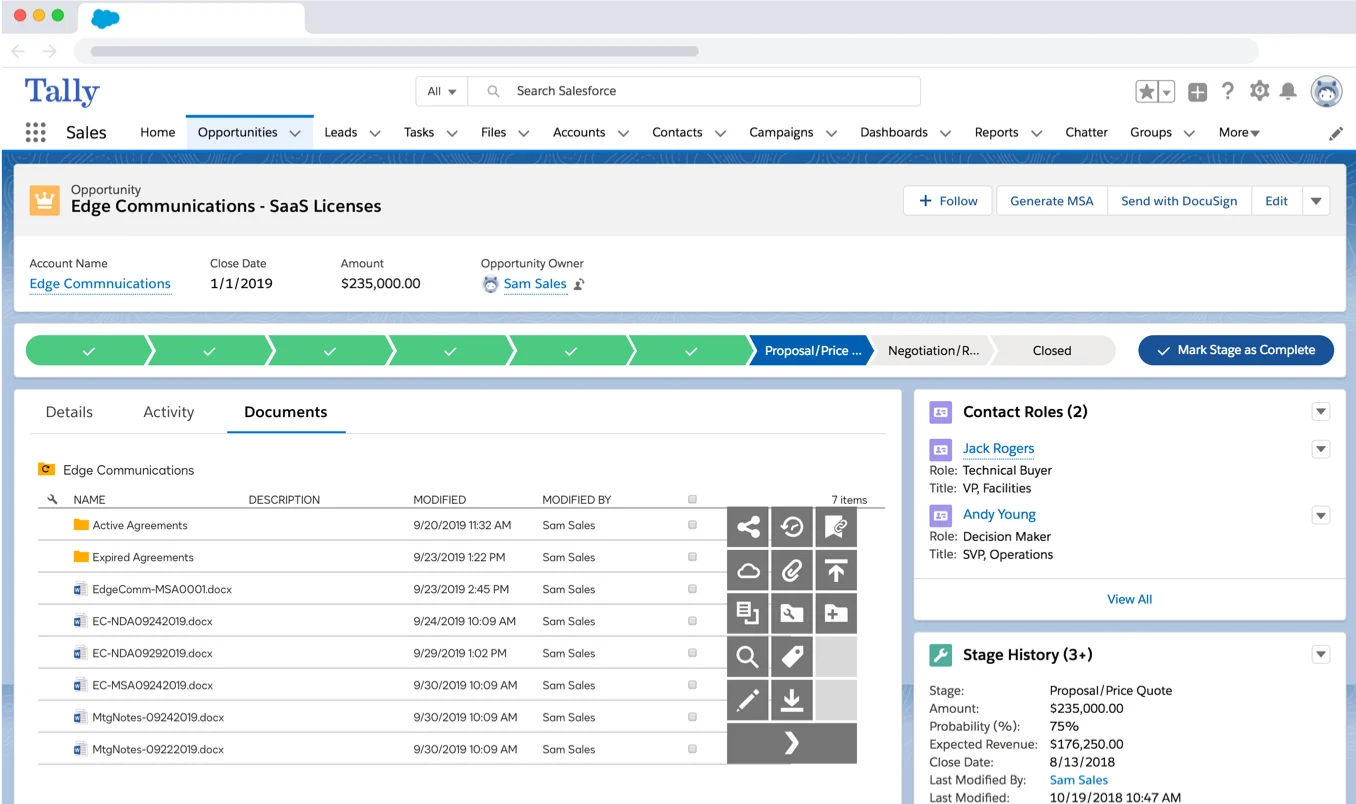
Extends DocuSign’s well-known e-signature functionality into complete contract lifecycle automation, including clause libraries and approval tracking. DocuSign CLM's AI negotiator suggests optimal clauses from a centralized library, automates redlining during reviews, and routes agreements via dynamic workflows tied to Salesforce or Oracle.
Enterprise users like Coca-Cola benefit from its extract.ai for obligation extraction and renewal alerts, slashing contract storage silos and enabling searchable repositories that speed up authoring by 70% for sales and procurement teams.Learn more here.
10. HighQ (Thomson Reuters)
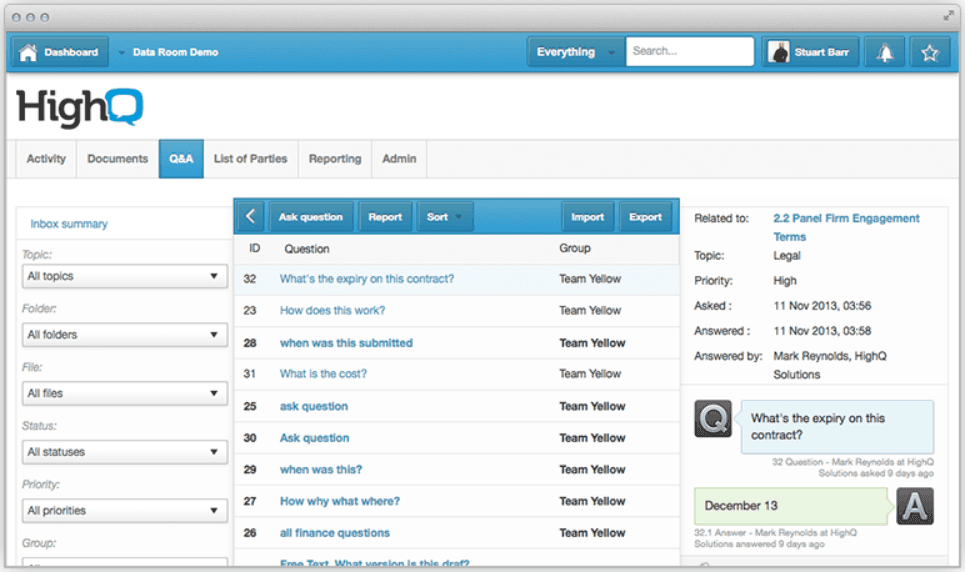
A secure, highly configurable workflow and collaboration platform used by law firms and corporate legal teams to manage complex projects and client deliverables. HighQ's microservices architecture supports secure client portals, virtual data rooms, and automated matter workflows with embedded legal research from Westlaw, ideal for AmLaw firms handling cross-border deals.
Its no-code builder creates bespoke processes for e-billing and compliance, with real-time collaboration that unifies documents, tasks, and communications, reducing email overload and enhancing client satisfaction through branded extranets.
Honorable mention: Legora
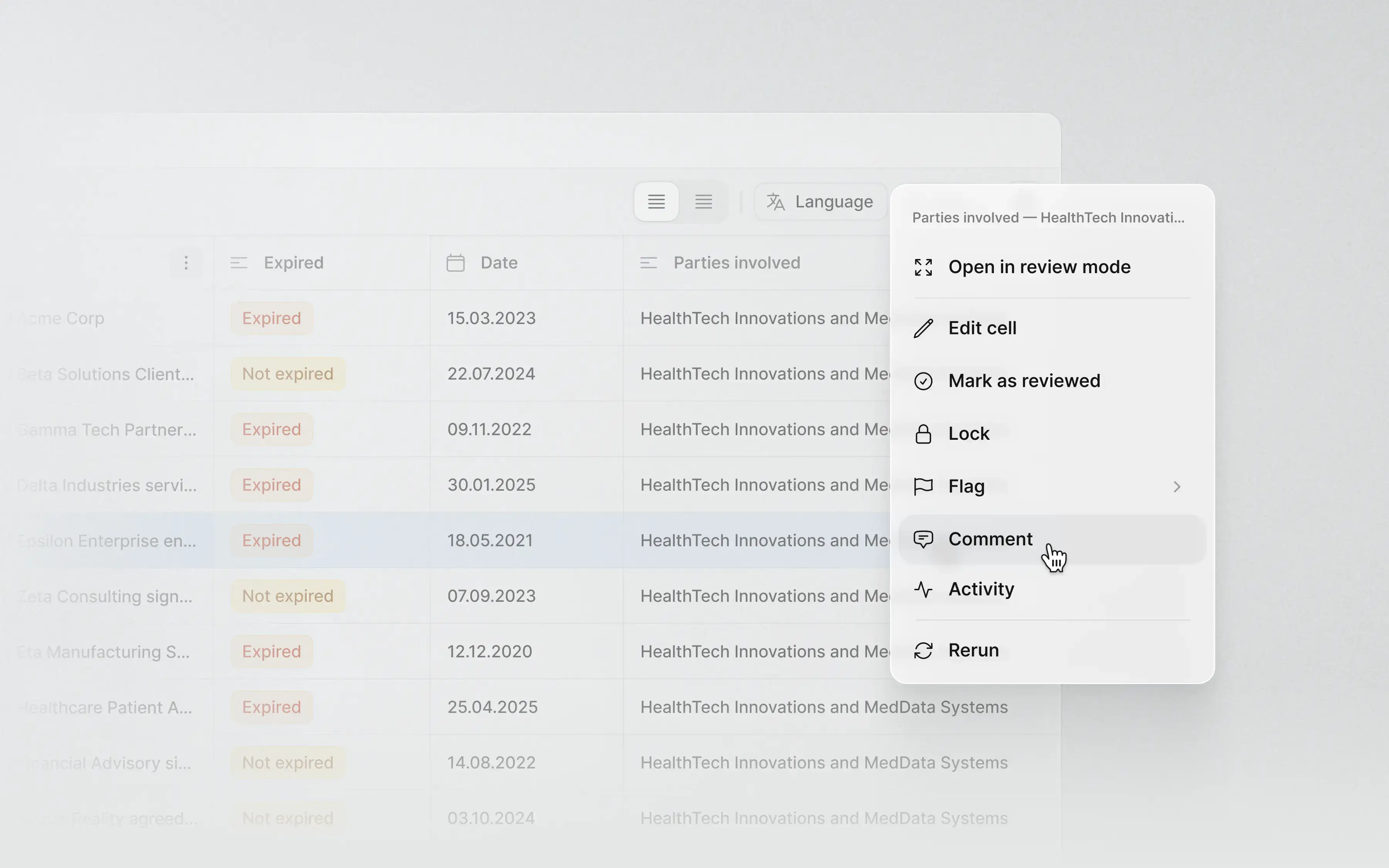
Legora deserves recognition for its agentic AI approach to end-to-end legal workflows. The platform excels at autonomous multi-step task completion with deep reasoning loops, particularly for firms building from scratch. For teams with existing playbooks, templates, and standardized processes looking to embed AI into established workflows, this LEGALFLY vs Legora comparison breaks down the key differences.
You can also check out all the alternative options for Legora.
Comparing the top 10 legal workflow automation tools side by side
Below is a comparison of leading platforms helping legal and procurement teams automate workflows, manage contracts, and improve compliance.
Tool | Best for | Standout Features | Pricing | Integrations | Key Benefit |
|---|---|---|---|---|---|
LEGALFLY | In-house legal & procurement teams | AI contract review, Multi Review, custom agents, Microsoft 365 integration | Custom | Microsoft Word, SharePoint, Teams | Privacy-first AI, fast onboarding, strong compliance |
Clio Manage | Law firms & solo practitioners | Task automation, billing, doc management | Tiered | DocuSign, Outlook, Google Drive | All-in-one workflow & billing |
Smokeball | Small to mid-size law firms | Automated templates, time tracking | Subscription | Word, Xero, LawPay | Easy setup, fast document turnaround |
Litera Transact | Large law firms & deal teams | Deal workflow, closing checklists | Custom | iManage, NetDocs, DocuSign | Streamlined deal closings |
Actionstep | Mid-size law firms | Workflow automation, matter management | Tiered | Office 365, Xero | Configurable workflows |
Ironclad | Enterprise legal teams | CLM, AI review, analytics | Custom | Salesforce, Slack, DocuSign | Powerful AI and visibility |
Lawcus | Legal ops & small firms | Visual workflow builder, CRM | Subscription | Google Workspace, QuickBooks | Simplified automation |
Onit | Enterprise legal departments | E-billing, matter mgmt, automation | Custom | SAP, Microsoft 365 | Enterprise scalability |
DocuSign CLM | All org sizes | Contract workflow, e-signature | Tiered | Salesforce, Microsoft 365 | Trusted e-signature CLM |
HighQ (Thomson Reuters) | Law firms & corporates | Document mgmt, collaboration, workflow | Custom | iManage, Microsoft 365 | Secure, customizable platform |
Why legal workflow automation matters in 2026
The legal and procurement landscape is moving faster than ever. Workflow automation is no longer a nice-to-have; it is the foundation of efficient and compliant operations.
What’s driving adoption
AI that works like your team. Intelligent review systems now flag risks, suggest redlines, and perform instant compliance checks.
Remote collaboration. Hybrid teams need centralised, digital-first processes that keep deals moving wherever people work.
Regulatory pressure. Expanding ESG, data, and cross-border obligations require auditable, policy-aligned workflows.
The business impact
Speed and accuracy. Automation removes manual handoffs and catches costly errors before they reach clients or suppliers.
Better client and stakeholder service. Faster and more transparent processes strengthen trust and retention.
Tangible ROI. Legal teams using automation save up to 240 hours per lawyer each year, reduce outside counsel spend, and experience fewer project delays.
Security and compliance built in
Leading tools such as LEGALFLY combine enterprise-grade encryption, full audit trails, and anonymisation to protect confidential data and meet global regulatory standards.
What are legal workflow automation tools?
Legal workflow automation tools are specialised software solutions designed to streamline, standardise, and accelerate routine legal processes. Unlike traditional legal software, which often focuses on document storage or case management, these tools orchestrate entire workflows by automating repetitive tasks, routing approvals, and ensuring compliance at every step.
Key problems solved
Manual contract reviews, client intake delays, and compliance inconsistencies often slow legal operations. Workflow automation eliminates these bottlenecks by standardising review steps, automating document routing, and ensuring every task follows defined approval paths. This reduces administrative effort while improving accuracy and accountability.
How automation differs from standard legal software
Standard legal tools manage information, while automation tools manage processes. They connect multiple systems such as document management, e-signature, and billing platforms so tasks progress automatically from one stage to the next. They also provide real-time tracking, reporting, and audit trails, giving teams complete visibility over work in progress.
Common automated workflows
Common use cases include document review and approval, client intake and conflict checks, e-signature routing, and matter opening or closing procedures. By handling these repetitive steps automatically, legal teams can focus on higher-value work like negotiation, analysis, and client advisory.
By introducing AI-powered workflow automation, legal and procurement teams are cutting contract turnaround times by up to half and eliminating many manual errors that slow business operations.
Criteria for evaluating legal workflow automation tools
Selecting the right automation platform requires balancing functionality, usability, and compliance. The best solutions integrate seamlessly into existing systems while delivering measurable efficiency gains.
Core features to prioritise: Look for tools that offer smooth integration with Microsoft 365, e-signature, and case management platforms. Customizable templates, automated analytics, and multi-user approval workflows help standardise processes and improve transparency.
Ease of use and onboarding: An intuitive interface embedded in familiar tools like Microsoft Word reduces training time and supports faster adoption across teams.
Security and compliance: Enterprise-grade encryption, role-based access, and complete audit trails are essential. Platforms should also support data anonymization and meet privacy and regulatory standards.
Scalability and support: Choose a platform that scales with your organisation, offers flexible licensing, and provides responsive support with accessible onboarding and training resources.
For a deeper assessment framework, see How to assess legal AI platforms in 10 minutes
How to select the right tool for your legal team
Selecting the right tool starts with clear goals and ends with evidence-based validation. Focus on alignment, testing, and measurable results.
1. Define priorities
Identify where automation delivers the greatest impact, such as contract review, approvals, or compliance tracking.
2. Shortlist and assess
Compare vendors based on integration, usability, and security. Choose those that fit your firm’s size, workflows, and tech stack.
3. Pilot and evaluate
Run a small pilot using real matters or contracts. Measure time savings, accuracy, and user adoption.
4. Plan rollout
Create a phased implementation plan with defined milestones and training support. Involve legal and IT early for smoother integration.
5. Review and improve
Track performance metrics and refine processes as adoption grows.
Implementation best practices for legal workflow automation
Successful adoption hinges on strategy and execution. Consider these best practices.
Set clear goals and KPIs: Define what success looks like, such as 50 percent faster contract cycles or zero compliance breaches.
Train and support staff: Offer hands-on training, contextual help, and ongoing support.
Integrate with existing tech: Ensure seamless connections with document management, e-signature, and billing systems.
Monitor and optimise: Use analytics to identify bottlenecks and continuously improve workflows.
Maintain compliance: Regularly review security settings and audit trails to meet regulatory requirements.
Start small by piloting automation with NDAs or vendor contracts before scaling to more complex matters.
Frequently asked questions about legal workflow automation tools
How long does it take to implement legal workflow automation software?
Most platforms can be piloted within two to four weeks, with full implementation typically completed in one to three months. Timelines depend on firm size, data readiness, and integration complexity.
Are legal workflow automation tools secure and compliant?
Yes. Leading platforms include enterprise-grade encryption, role-based access controls, and detailed audit trails. Tools such as LEGALFLY also anonymise sensitive data and meet major data protection standards, including GDPR and SOC 2 compliance.
Can legal workflow automation tools be customized for different firms or practice areas?
Absolutely. Most solutions allow firms to configure templates, approval chains, and playbooks to reflect internal policies and practice-specific workflows.
Do legal workflow automation platforms support remote or hybrid legal teams?
Yes. Cloud-based automation tools enable secure, real-time collaboration across locations. They integrate with communication platforms like Microsoft Teams and Slack to support distributed legal operations.
What is the ROI of legal workflow automation?
Firms typically report 30 to 60 percent faster turnaround times, fewer administrative errors, and substantial cost savings. Many achieve full ROI within the first year through time savings and reduced reliance on manual review.
How do legal workflow automation tools use AI?
Modern platforms incorporate AI to analyze documents, detect risks, suggest clause edits, and automate routine review tasks. This helps legal teams focus on strategy and client service instead of repetitive work.
Conclusion: take the next step in legal workflow automation
Legal workflow automation is now a core driver of efficiency, compliance, and client satisfaction. Firms that adopt the right tools in 2025 will streamline operations, reduce risk, and position themselves for long-term growth.
To move forward:
Request demos from shortlisted vendors to see how automation fits your workflows.>>> Book your LEGALFLY Demo
Download the comparison checklist to evaluate features, security, and ROI. >>> Download the legal AI vendor checklist
Explore solutions from LEGALFLY to learn how explainable AI and secure automation can modernize your legal operations. >>> Explore Insights
The future of legal work is automated, data-driven, and collaborative. Start your transformation today.